• Skip to primary navigation
  • Skip to main content

Net Gain Marketing

Rambling about online business, marketing strategy and methods that create net gains, not net costs...

  • SEM/PPC
  • SEO
  • Contact
  • About Ken Thomas

Featured

Re-start your marketing brain: Marketing authors who spark ideas

Re-start your marketing brain: Marketing authors who spark ideas

If you’re anything like me, you read a lot about marketing.

I read books, texts, blogs, websites and newsletters.

  • To revise general marketing concepts: Philip Kotler.
  • On marketing strategy and planning and thinking: Michael Porter, Dann & Dann and Tim Calkins.
  • For SEM methods and tricks: Howie Jacobson and Perry Marshall.
  • Reviewing service and customer experience: Mark Hurst, Leonardo Inghilleri and Tony Hsieh.
  • Some of the most effective stuff I’ve read is by tactics, direct marketing and copywriting authors like Sean D’Souza, Jack Trout, Brian Clark and Joe Sugarman.

This last category—copywriting—really stands out for me.  And I’m not a copywriter!  So what’s so great about books on copywriting?

Working on the front lines of marketing, these guys focus down on basic, key issues that get results.

Like spotting what really motivates people. Identifying how people really relate to your product. Getting people to read your copy. Targeting how people think, how they choose and why they act.

Direct marketing and copywriting mentors often write in an old-fashioned way. Their ideas don’t always seem fresh and crisp – sometimes their writing is like a flashback to the ’70s (and often it is).  In fact, some of these authors are self-absorbed and downright corny.  Yet their ideas are relevant—in any decade—and they get my brain humming along. And that makes things happen.

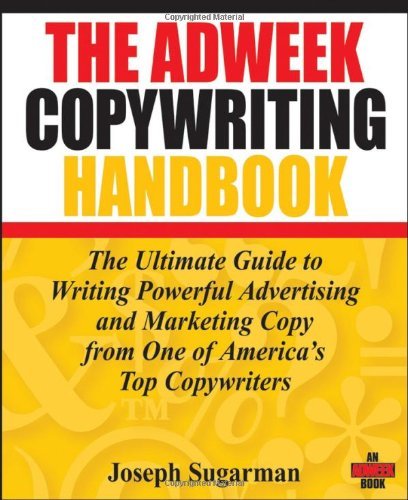
The Adweek Copywriting Handbook
One basic book that gets my marketing brain working.

Last night I rediscovered copywriting books again, and it was good.

How good?

After reading “The Adweek Copywriting Handbook” by Joe Sugarman for one hour in bed, I suddenly put it down. Then I got up and went to work.

In the next two hours, I did the best work I’ve done in months.

First I worked on an AdWords account.

I found four core keywords that were lagging, created some better-targeted adgroups, and almost instantly shifted the related ads to the #1 position, above competitors who’ve been outbidding me for the top spot.

Next I opened my AdWords ad writing tool and wrote six completey fresh, unique new ads to test against my long-term top text ads.

Then I came up with two fantastic new landing page concepts – fresh, new layouts with fresh messages that nailed two of my target niches.

It was an awesome, full day’s worth of productive work that streamed out in two hours.

If I don’t touch Sugarman’s book again, well I’ve already recovered the cost of his book. In fact, I probably created 1000 times the value of this book in those two hours! Strangely, I didn’t follow any methods or advice or tips from the book at all. But it triggered so many ideas dumping out of my brain that my fingers couldn’t get it all recorded.

I think I might pick it up again tonight and see what happens.
Filed Under: Copywriting, Featured, Marketing Inspirations Tagged With: joe sugarman, marketing authors, marketing books, marketing ideas

Marketing with Google Places: Free Online Marketing for Offline Businesses

Marketing with Google Places: Free Online Marketing for Offline Businesses

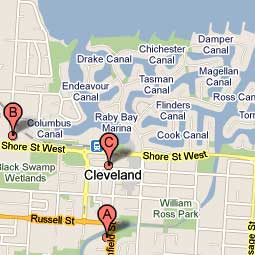
Your business should be represented WELL on Google's maps.

Six simple steps for getting better free online exposure from Google for your offline store or service

If your business is 100% online, this is not for you. But if your business has a physical location that people should know about, you’d better be using Google Places.

Google Places is familiar to most Google users, but millions of business owners haven’t bothered to figure it out – yet it is so easy.   Just adding some simple information for your customers makes it much more powerful.

What’s more, your Google Place listing appears on Google Hotpot – Google’s latest shot at creating a social network for local consumers. Who knows whether Hotspot will take off – but in the meanwhile, take advantage of every bit of free marketing that Google will give you!

Here’s an intro from Google… 
(top tips on using Google Places follows, below)

Here’s how make sure your business looks good on Google Places:

  1. Go to the Google Places main page and log in using your Google account. (Use a Google account on an email address you can share with other people at your business in the future – don’t use your personal Google account.)
  2. Follow the simple instructions for adding details about your business. Google includes tools that let you upload details for multiple locations all at once. Plus (right now), free ‘tags’ that help increase your visibility (currently available in select cities only).  Don’t forget to add your business hours.
  3. Start out with the information people want first when they’re searching on Google: Clear, basic information about your business. Don’t add long, wordy promotional writing; Google users’ don’t read a lot when they are searching, so get right to the point.
  4. Upload GOOD photos.
    1. Ask a shutterbug friend for help or, better still, hire a professional photographer for an hour.
    2. Start with a really nice shot of your shop (not too close-up – this should help new visitors find you, so take it from the street.
    3. Take some nice shots inside your business and pick the best two or three.
    4. Add a couple shots of your products. Don’t take far-away shots with rows of products on shelves – that looks crappy on the web. Instead, take nice close-up shots of popular, attractive products.
    5. Never use photos that you found online or on Google Images. Not ever.
    6. Add your logo or a photo of your main business sign.
    7. Don’t get carried away. Five or six photos is probably enough to start with.
  5. Think about how important customer reviews are for your business. Remember that reviews at Google Places spotlight your customer service. Your job: Make customers happy.  So happy they’ll write reviews about you.  (DON’T post reviews for your own business.  If you must, ask some favourite customers to post reviews for you.)
  6. Read the Google Places User Guide.

Filed Under: Featured, Search Engine Marketing Tagged With: google maps, google places

Eight Evil Myths About Improving SEO and Getting to Page One on Google

Eight Evil Myths About Improving SEO and Getting to Page One on Google

There’s a lot of silly advice out there about SEO. A lot of it comes from people who are charging someone for SEO work.

Here are a few mistakes to avoid in promoting your website to page-1 on Google.

SEO myths from hell

  1. Spend more money on AdWords to increase your organic rank and give you a good reputation at Google.
    WRONG. Just plain wrong.
  2. Paste long lists of repeating keywords into your pages – covering every possible keyword variation. Link these back-and-forth with additional pages full of keywords.
    WRONG: There are still sites that get away with this, but they are all about getting traffic to drive ad revenue or referral kickbacks.  Apparently it works for ‘link pyramid’ schemes which are common in ‘online adult entertainment’, because they don’t rely on Google.  It is a very bad idea for real businesses, because real people (real customers) hate reading that sort of crap on a website.
  3. Hide keyword lists in your pages using HTML tricks, matching background & text colour, hidden DIVs, etc.
    WRONG: Google is getting smarter all the time and ‘tricky’ SEO can make Google unhappy.  When Google is unhappy, suddenly your site plunges down to page 20 in the search results.
  4. Create lots of new websites on new domains, chock-full of links to your site.
    WRONG: This is another risky behaviour that can make Google very unhappy. INSTEAD, develop linking opportunities on good, popular, relevant websites run by other real people. Look at local blogs related to your industry, business directories, industry-specific directories, professional associations, accrediting bodies’ websites – plus build your profile, audience and activity on social media sites.
  5. Create a keyword-specific website redirect or ‘doorway page’ pushing traffic to your main site.
    WRONG: Google forbids this sort of stuff. Find a trick that works today, and Google might banish you tomorrow.
  6. Add long keyword lists in your HTML keyword meta tags.
    WRONG: Google doesn’t even look at keyword metatags. There are some meta tags that are useful, though.
  7. Update your home page every day.
    WRONG: Lots of top-ranking pages haven’t been updated for years. (But keeping your content current is always a good idea!)
  8. Flash content ruins SEO.
    WRONG: Google is constantly improving it’s ability to index flash content – the flash content just needs to be created by people who know what they are doing.
  9. This list could go on forever with new tricks and scams. Consider this: Even if you manage to trick a search engine – then what?  Will Google buy your product? Think about your customers and readers first.

More reading about SEO best-practice

For a longer, more technical lists of SEO myths, try reading 36 More SEO Myths That Won’t Die.

Google is kind enough to give us a detailed guide for ‘white hat’ SEO.

If you’ve read this whole post and you’re not 100% clear what SEO is, or how it is different from PPC or search engine marketing, read “What is the difference between SEO and SEM…?”

Filed Under: Featured, Search Engine Marketing, Search Engine Optimisation Tagged With: seo, SEO myths, SEO tips, SEO tricks

What is the difference between SEM, SEO,  PPC and AdWords?

What is the difference between SEM, SEO, PPC and AdWords?

Online marketers and businesspeople talk a lot about SEM, PPC, SEO and AdWords – but these concepts often become confused. This can lead to problems in choosing the ‘online marketing best-next-steps’ for a business.  Here is an overview that helps put it all into perspective…

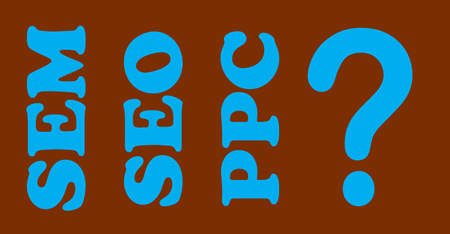
SEM-SEO-PPC

SEM = Search Engine Marketing

SEM is marketing and technical work designed to increase a website’s visibility on Google and other search engines. SEM can include…

  • SEO (Search Engine Optimisation – more below)
  • SERM (Search Engine Reputation Management – sort of like Public Relations Management for your business’s reputation on search engines),
  • PPC Advertising (Pay-Per-Click Advertising – including ads on Google AdWords, Yahoo and Bing – more below)

SEM is big business.  There are thousands – soon I predict millions – of companies and consultants who specialise in this field.  Companies like Google and Yahoo make almost ALL of their money from SEM, including their huge PPC text ad fees.

SEO = Search Engine Optimization

SEO is work that makes a website ‘search engine friendly’ – with the goal of getting a good position in the search results when people search for words that relate to your website.

SEO relates ONLY to unpaid, ‘organic’ or ‘natural’ search results. This has nothing to do with PPC Advertising.

The best position in organic search results is #1 on the 1st-page. Many businesses have to settle for any 1st-page position, at least as an early goal.

You can’t pay the search engines to get a better organic search position – you have to work at it.

Organic position is important because every time someone visits your site after clicking an organic search result, you have received a visitor who’s probably interested in your website – and you’ve paid nothing to attract that visit (unless you’re paying a lot of money to an SEO consultant).

SEO is directly related to satisfying your online visitors!

What do people want from a website?

They want an easy-to-understand website with clear navigation.  They want to read good writing that is well-organised and logical.  They want to find something that is directly relevant to their original search. They don’t want to hunt around for information.

They want the next steps – getting more info or making a purchase – to be easy and obvious.  They want it to be easy to find their way back to the site.

The good news:  Google and other search engines want the same things from a website as your visitors do.  Once you’ve built a good website for visitors, good basic SEO just calls for a few quite basic technical tasks – to ensure that search engines have an easy time understanding your website.

People often talk about different tricks to improve search engine ranking for their sites.  Some tricks have worked well; these include creating many different pages and sites that all link back-and-forth and repeat the main search words over-and-over-and-over.  The problem is that this forgets about the MAIN point in online marketing: Customers!  A site using lots of SEO tricks is annoying for visitors.  Fortunately, Google and the other engines are getting smarter.  Sites that try these tricks are dropping off of Google’s 1st-page results, whereas honest, good-quality websites with good information are getting preferential treatment.

One area of SEO that is hard to do yourself is link building.

Search engines like sites that have lots of hyperlinks connecting inward and outward with related, relevant websites. You can pay people to accelerate the process (sometimes in tricky, ‘fake’ ways that can be dangerous to your website reputation).  Even without link-building tricks or consultants, links grow in number and relevance naturally over time (IF you have good, unique, relevant content).

To get a few high-value, high-relevance links, be generous when linking to other relevant sites and pages that compliment your own content – and ask owners of other sites to do the same for you.

Social media is pouring gas on the linking fire: Websites that people love get shared within social networks and create thousands of links. Google and other search engines are starting to get on-board, listing profiles within social networks for some searches (especially when the profiles are highly-relevant and popular).  You can make it easy for readers to share your content on social networks.

That last activity can tie into your email marketing, if you encourage people to share email content by putting it into your website or blog and giving them easy links that lead to the sharing tools at social network sites.

PPC = Pay-Per-Click Advertising
(AdWords is one flavor of PPC Advertising)

PPC includes ads on Google, Yahoo and Bing – these are the ads you see at the top and right-hand side of search pages – or even on Facebook pages.

Google AdWords vs Organic Search Results
It is easy to spot 'AdWords' paid ads in your Google search results

Usually PPC ads cost nothing to display – when a viewer clicks on the ad, only then is an advertiser is charged for the ad – hence ‘pay-per-click’.

In some cases ads are charged per 1000 ‘impressions’ (1 impression = the ad appears one time on a webpage displayed on one person’s computer).

The most popular PPC program is Google’s AdWords, accounting for around 90% of PPC ad dollars.  In my experience, AdWords has been the most profitable choice due to the high percentage of total web search traffic on Google.  AdWords is, however, becoming more competitive and costly every day which reduces the return on every advertising dollar you invest.  Other networks are working hard to offer attractive systems and traffic to advertisers – trying to get a bigger piece of Google’s pie.

The most popular PPC ads are text ads like you see on Google’s search page. Video and display ads (display ads have a photo or graphic or logo) are also common and can appear on almost any website (although they are generally ‘served’ from an advertising provider like Google).

PPC is a very easy way to promote your website when getting a 1st-page organic position is a longer-term, more difficult goal.

PPC is generally profitable when your business targets a specific segment of the market with a relatively unique product or service or offer – and when there are not a lot of competitors bidding against your ads and driving up the cost of your PPC efforts.

The basic measures of PPC accounts are:

  • CPC (Cost Per Click – the amount you pay each time someone clicks an ad and is directed to your site). CPC can range from a few cents for specialised, uncompetitive business niches – up to $50 or more for highly competitive industries like financial services.
  • Cost Per Conversion (the amount you spend before you get one sale, signup or other goal). If you ‘convert’ one out of ten visitors, and you pay $1.00 for each visitor from Google (ie: CPC = $1.00), then your Cost Per Conversion will be $10.00.

Choosing the right bit of SEM for your website

Some people guess that common sense and intuition are all that’s needed, but SEM is not as easy as it seems.

On the other hand, SEM consultants and web developers are notorious. They talk clients into doing everything all at once – paying huge fees for huge projects, when just a bit of the work on the right bits creates 90% of the profitable impact.

An experienced person can spot the best items to work on in order to make changes that pay off and, often, these are not the most costly items.  Making a profit online demands the right decisions!

CPC can range from a few cents for specialised, uncompetitive business niches – up to $50 or more for highly competitive industries like financial services.

Filed Under: Featured, Pay-Per-Click Advertising, Search Engine Marketing, Search Engine Optimisation Tagged With: adwords, google, online marketing, sem, seo

Simple Tool for Writing PPC (AdWords) Text Ads

Simple Tool for Writing PPC (AdWords) Text Ads

Writing unique ads for lots of adgroups can be a slow and tedious process, especially when you build a big AdWords campaign from scratch. Using keywords strategically in every ad – not ‘cheating’ with keyword insertion, which can result in sloppy-looking ads – is a lot of work.  But it can save you money (and make you money)!

Here’s a simple solution I came up with working on a GOMCHA project……

First of all, you should be using Google’s AdWords Editor software. It is easy to use and saves a LOT of time. AdWords Editor includes features not available in the online AdWords interface (eg. drag and drop keywords among adgroups).  Get AdWords Editor from Google, here.

But, even with AdWords Editor, writing dozens or hundreds of ads is a slow process.

The Solution

Using a simple spreadsheet you can:

  • view and edit all of your new ads at once,
  • copy and paste text between your ads, and
  • check that your text fits into Google’s character limits.

When you are done, just save as a CSV file and import into AdWords Editor – voila!  You’ve saved a lot of time.

Screenshot of the AdWords text ad writing tool

–>  Download the AdWords PPC Text Ad Writing Tool here, for free

(It is a  no-nonsense download in .xls format.)

Note: This tool is not for first-time AdWords users. Best to get some experience with AdWords and AdWords Editor, then move on to this later when you need to write lots of ads.

Included:

Sheet 1 shows you the character count of each line in your new ads and helps you make new ad versions.

Sheet 2 has important tips for writing effective text ads for AdWords.

Sheet 3 has instructions for creating your ads and importing into AdWords Editor.

Download the AdWords PPC Text Ad Writing Tool

Happy advertising!

Filed Under: Featured, Pay-Per-Click Advertising, Search Engine Marketing Tagged With: adwords, how to write AdWords text ads, ppc, sem, text ads, writing AdWords ads

Culture Rant: Cleaning the racism out of our language

Culture Rant: Cleaning the racism out of our language

Australians hold their unique, home-grown vocabulary very dear, and these are often perceived as being iconic parts of Aussie culture.

Sometimes Aussie language reflects greater ideas or ideals; the best example is “mate”. Mate is a flexible term, ranging in meaning from open, kind acceptance to insult . Mate is Aussie and, excepting its too-frequent use by politicians, it is a harmless, functional and often charming part of the language.

Other slang is less benign, though, and it is time to clean out the colloquial cupboard. Here is something that recently caught my attention:  A story in The Australian newspaper online titled “Windies to stand in if Pakis withdraw”.

Well.

Some Australians think “The Pakis” is an acceptable name for the Pakistani cricket team. “The Pakis” is used often by Aussie (and some other) cricket fans. Even Aussies who are not great adherents of cricket will often defend Paki as an ambiguous, non-toxic title.

Unfortunately the fact is that here, and in most of the world, the word Paki is also a negative, insulting racial slur.

The Cambridge Dictionary is clear about this.

Paki
noun [C] OFFENSIVE
a person from Pakistan

As a youngster growing up in Canada I heard the word Paki too often. Paki was a word of hatred and conflict. Paki was a word that meant a) people were going to throw down their woolly mittens and have a punch-up, or more often b) a kid with hued skin (quite often not from Pakistan) was about to be bullied, degraded, humiliated and insulted.

Paki , used as a racial slur, is not unique to youth or my Canadian origin; adults worldwide use the word. Saying Paki reveals their racism—and often their ignorance of national and cultural distinctions.

Aussies sometimes consider non-Aussie examples of language, or even foreign dictionaries, as irrelevant for being ignorant of Australian culture and language; no trouble — the Macquarie Dictionary is clear enough as well.

Paki
noun 1. (Often offensive) a Pakistani. —phrase 2. the Pakis, the Pakistani Test Cricket team.

When a point like this is raised many people who are in the cultural majority quickly reply “who, ME, racist?” Mainstream editorials refer to “pointless political correctness” and defensively list examples where the a minority group self-applies racist terms. People who think the word Paki is made benign because it has been spoken by Pakistani cricket players or fans should consider this: The word “nigger”, a term of equivalent stature to Paki but coined in reference to black Americans and their enslaved history, is used casually or ironically by some Arican-American people. Does this makes “nigger” an appropriate word for any white-skinned person to use? No.  Any white staff writers at The Australian who would answer “yes” should attend some professional sporting interviews and greet dark-skinned athletes with that term — face to face.

Paki is not a rare word in Australia. Sometimes its use is not intended to express racism or hatred. But in a headline broadcast across the country, to many people who don’t think it has a special ‘non-racist cricket-culture usage’, what does using the word paki represent?  At best: A wrong-minded devotion to yobbo sporting culture at the expense of more urgent values.  At worst: A sad reminder of the pervasive — yet pervasively denied — cracker backwardness that cowers beneath the culture of Australia and other western countries.

At the beach, people are equal. Australians are an inclusive bunch, but our language and slang includes some terrible racist history that needs to be eliminated. Thanks to 'Shot At Byron' for the photo.
Update on Saturday, August 9, 2008 at 10:15AM

Ironically, a range of articles published in The Australian agree that ‘Paki’ is an offensive term.

  • Here in an interesting article about offensive language;
  • Here in a review of Gautam Malkani’s book Londonstani – quote:

    “Gautam Malkani’s first offering begins with a scene of visceral violence: four young British Asians are pummelling a white kid for calling them “Pakis” – a word allowed only if you are on the inside (Can’t be callin someone a Paki less you also call’d a Paki, innit”).

And, interestingly, a search of the paper’s site reveals that offensive usage of Paki, including the sport article that orginally inspired my post, have now been removed.

Since writing this post I have noticed ‘Pakis’ seems to be used less frequently in the Australian media. I don’t think my post triggered this (although I hope letters I’ve sent to newspaper editors might have helped).

It intrigues me that this is the most visited post I’ve ever written.  Some of the comments people have left are terrifying, though, so I don’t publish any comments here.

Filed Under: Copywriting, Culture and Communication, Featured Tagged With: media racism, racist language

« Previous Page

Copyright © 2026 Net Gain Marketing

  • SEM/PPC
  • SEO
  • Contact
  • About Ken Thomas